Hey there,
guys :)
Well, seems
like it’s the time of the year again when most students live on coffee and
spend their nights poring over books and laptops (sounds familiar, huh?). At
least, that’s what I’ve been doing for the last two weeks. One of the bigger
tasks I set myself for the Christmas break (even though I still wonder what
this break thing was actually about ;) was starting to study the Porter
vocab.
I’ve read
lots of useful blog posts of my fellow students, tried some new websites, used
the sources and adapted the methods I liked the most. So here is how I’m trying
to improve my learning strategy (I’m probably going to repeat some aspects I’ve
already mentioned in my first vocab post in order to keep it understandable):
Stoplight
System
 First of
all, I always create my own vocab lists because they make it so much easier for
me to study. I usually set up three columns: one with the word in question, one
for an explanation in English and one for anything else that I think is worth
mentioning (or necessary).
First of
all, I always create my own vocab lists because they make it so much easier for
me to study. I usually set up three columns: one with the word in question, one
for an explanation in English and one for anything else that I think is worth
mentioning (or necessary).
When I
study, I’m always equipped (it actually feels more like armed) with
several highlighters to mark things in different colors following the stoplight
system:
red =
extremely tricky word that needs lots of repetition
yellow = a
word with kind of surprising aspects I didn’t know before but believe I’m
capable of learning quickly
green = when
I feel like I’ve really mastered one of the trickier words, I’ll mark it in
green so I won’t repeat it ten more times when there are other words that need
more practice (you know…time is money ;)
Ways of compensating
for the downsides of vocabulary.com
I think we
all agree that vocabulary.com is a helpful website, but (as I found out while
studying for PC1), there are some downsides. Luckily, there are plenty of other
websites to use in case vocabulary.com lets you down.
Pronunciation
When
studying vocab on vocabulary.com, I force myself to say each word out loud
once. Whenever I hesitate, guess or just plainly don’t know how to pronounce a
word, I’ll listen to the pronunciation provided and add the phonetics to the
right-hand column of my vocab list.
However, you
should be aware that vocabulary.com won’t give you differences between British
and American English. Plus, when a word can be, for example, a noun and a verb
and has two ways of pronouncing it, both ways are provided but without telling
you which one belongs to which word form. That’s why I use howjsay.com a lot
(the guy who’s pronouncing the words will tell you the differences between
British and American English as well as differences between noun, verb,
adjective or whatever).
SkELL (Sketch
Engine for Language Learning) vs. Just The Word
I have to
admit that corpora didn’t really convince me right away. Only when I started
using just-the-word.com did I realize how useful corpora actually are. What I
like about Just The Word is that the website provides several categories of
words connected to the word you’re looking for. It also shows how frequently a
collocation is used. I mostly use it when I’m writing a text and I‘m not sure
what word to use together with another word (it’s great when it comes to
prepositions!).
What’s
different about SkELL is that when you enter a word into the search bar, the
website leads you directly to several example sentences, so you get the results
at a glance and don’t have an extra step in between (which can get pretty
annoying when you have 600 words to learn ahead of you). What I also like is
that SkELL shows you how many hits per million a word has and therefore gives
you an idea of how often that word occurs in English texts.
To sum it
up, I prefer SkELL whenever I want to get a general idea of how the word is
used. However, I use Just The Word more often when I’m looking for something
very specific like the right preposition.
Dictionaries
Vocabulary.com
is definitely not flawless, and sometimes there are so many explanations I get
even more confused than I sometimes already am. That’s why other dictionaries
can be really helpful.
Here are two
of my favorites:
Longman
Dictionary of Contemporary English is easy to find your way around (just
type the word into the search bar – there you go) and it provides everything a
student’s heart desires: pronunciation, a short explanation, example sentences,
frequent expressions, and sometimes even a picture.
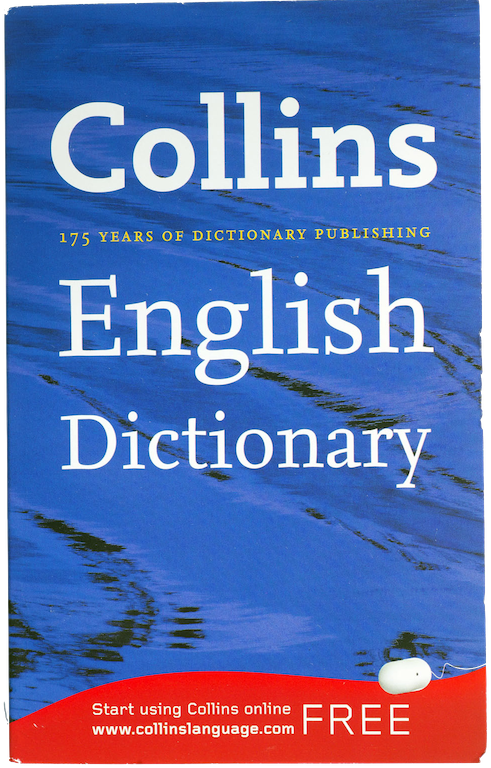
Another one
I like quite much is The Collins Dictionary. You need to choose between
American and British English, but apart from that first step it’s all quite
clearly structured. It’s a lot simpler than Longman, but sometimes you might
not even want 50 example sentences, but just a comprehensible explanation of
what the word means, how it’s pronounced, and a handful of collocations and
synonyms to go along with it. There’s also some fancy stuff like the word
origin and translations into several other languages, in case you are super
ambitious or just really interested.
Last But
Never Least
My last
recommendation and most important strategy: START EARLY. It never helps to
overtax your brain with 700 words in two days’ time because the vocab will never
stick. Or if it does for the exam, at least it won’t forever. And isn’t that
what we are actually all aiming for (okay, apart from passing the test of
course ;)? So if you’ve not started yet – what are you waiting for?!
I’ll keep my
fingers crossed for all of you in PC2!
See you,
bye-bye :)

Great post, Judith. Very thorough.
ReplyDelete